Remote Electronic Signature
The new version of the Rekono OnePass app enables remote signing of documents with a qualified or advanced signature. You can sign documents using the Rekono Sign online application or the Rekono OnePass app installed on your phone, which now includes the document signing functionality of Rekono Sign. Note that you can create only a specific type of signature with a specific level of identity assurance, as explained below.
WHAT IS QUALIFIED AND WHAT ADVANCED SIGNATURE?
An advanced signature can be created by Rekono account holders with a Rekono identity assurance level of "low (10)," "medium (20)," or "high (30)."
A qualified electronic signature has the same legal effect as a handwritten signature. It can be created by Rekono account holders with a Rekono identity assurance level of "high (30)".
Identity Assurance Levels in the Rekono System
- LOW LEVEL (10)
- MEDIUM LEVEL (20)
- HIGH LEVEL (30)
- HOW TO INCREASE THE LEVEL OF ASSURANCE
Level "low (10)"
A user obtains level 10 by entering personal data through one of the procedures available in the Rekono system. The user creates a Rekono account and enters or edits data in the control panel. Data can also be entered when logging into a selected service, but only for services that allow the entry of personal data. To obtain the “low (10)” level, the following personal data are checked against official records: first name, last name, date of birth, and tax number. If the combination of these four pieces of personal data matches and the user has not used their tax number in another Rekono account, this data, along with the permanent address provided by the user (including the country), is recorded in the Rekono system. This gives the user an assurance level of “low (10),” which indicates limited trust in their identity.
NOTE: This does not guarantee that the user is providing their real data. It only confirms that the user knows this combination of details and that no other Rekono account contains these details. In some cases, this is sufficient for the user to perform certain activities, such as accessing electricity consumption data. The end service always decides what level of assurance (trust level) is sufficient for its purposes.
Level "medium (20)"
- The user adds a qualified digital certificate (issued in Slovenia), for which the user’s identity and personal data were verified in person at the time of issuance. The qualified digital certificate is added when logging into the end service (if supported) or in the Rekono system control panel.
- The user adds a bank card to their Rekono account in the Rekono OnePass application. To do this, they must enter the PAN, the tax number linked to the client’s bank card, and the PIN. The combination of personal data is verified in the Bankart back-end system together with the combination of PIN, PAN, and tax number. This raises the user’s assurance (trust) level to “high (30)” at all banks except NLB, as it is possible that the user was identified by NLB using a video identification procedure, which is not equivalent to in-person identification. Therefore, NLB client users are assigned an assurance (trust) level of “medium (20)”.
Level "high (30)"
- The user adds a digital certificate to their smart card. They can do this when logging into the end service (if supported) or through the Rekono system control panel.
- To log in to online banking (the banking application for onboarding), the user can use their Rekono account. They receive an activation code via SMS and a reference code by regular mail from the bank. This process ensures that both the bank and Rekono know the person logging in with the Rekono account is the correct individual. The user can then access personal and business accounts linked to the client with this tax number and perform transactions. When the user logs into online banking in this way, the bank sends information to the Rekono system confirming that the user has been physically verified, and the Rekono system raises the user’s assurance (trust) level to “high (30)”.
- RA Rekono (registration office) – For certain companies, the Rekono registration office increases the user’s identity assurance level. A user from a specific company completes and signs a form. The person responsible at the company, which has a contract with the Rekono registration office, guarantees the accuracy of the entered data and the user’s identity. The person responsible then sends the completed form to the Rekono registration office. Upon receiving the form, the Rekono registration office increases the user’s reliability level to “high (30)”.
- The user is authenticated in the PoštarCA system, for example, when purchasing a digital certificate. During the digital certificate delivery process, a postman visits the user’s home and checks their ID card to verify the user’s identity. After this verification, the Rekono system can increase the user’s identity level to “high (30)”.
How to Increase the Level of Identity Assurance in the Rekono OnePass Application
If, when logging into the Rekono OnePass application, a user’s identity assurance level does not allow signing a document with a qualified electronic signature, they must first increase their identity assurance level. One way to do this is to add a bank card from a bank that uses the Rekono service for online banking login to their Rekono account. This will automatically increase their identity assurance level when they log back into the Rekono OnePass application, as their identity has already been physically verified at the bank.
Rekono Sign
Rekono Sign enables the remote creation of qualified electronic signatures in accordance with the eIDAS Regulation. It ensures that the signatory has exclusive control over their data on the remote electronic signature creation device, which is managed on their behalf by the trust service provider, and that all requirements for a qualified electronic signature are met when the device is used.
The signer’s cryptographic key is securely stored on a remote device for creating qualified electronic signatures, on which the document or data is signed. The signer does not need special hardware or software to store keys or execute signatures, so they can use the service from any device (personal computer, smartphone, or tablet) with a web browser.
The signer’s identity is securely stored on a remote device for creating qualified electronic signatures, on which the document or data is signed. The signer’s identity is verified through strong multi-factor authentication: a username and password combined with an additional one-time password mechanism delivered via SMS, a dedicated device, a mobile app for one-time passwords, or a digital certificate.
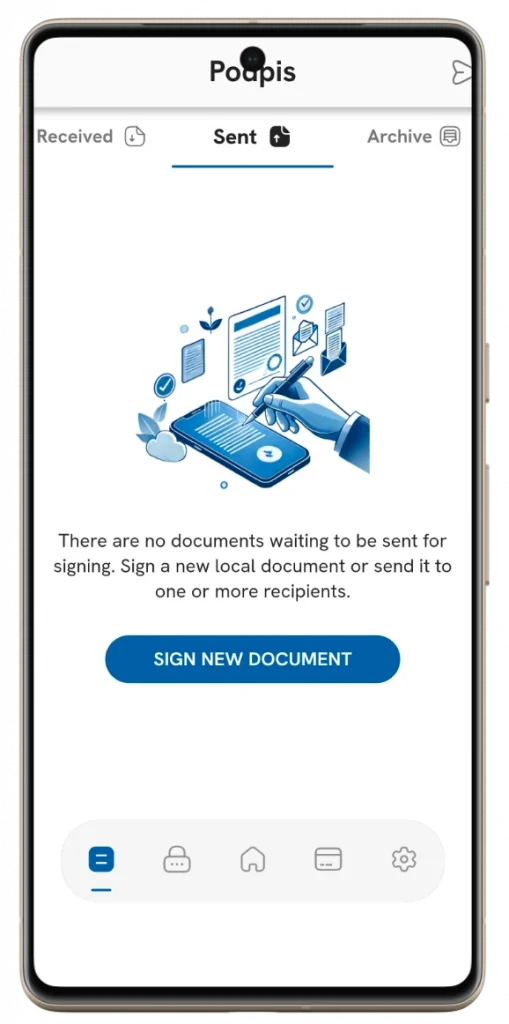
Rekono Sign provides security services based on qualified electronic signatures that ensure the legally valid integrity and authenticity of signed documents when delivering services through web portals or cloud services.
An electronic time stamp is a trust service that links the time a document is signed to the data it contains, thereby ensuring that the electronic document existed with precisely defined content at the time of signing with the time stamp and has not been altered since.